Step by step guide to Barracuda BRBL removal, what triggers a listing, how long it takes, and how it compares to Spamhaus and other blocklists.
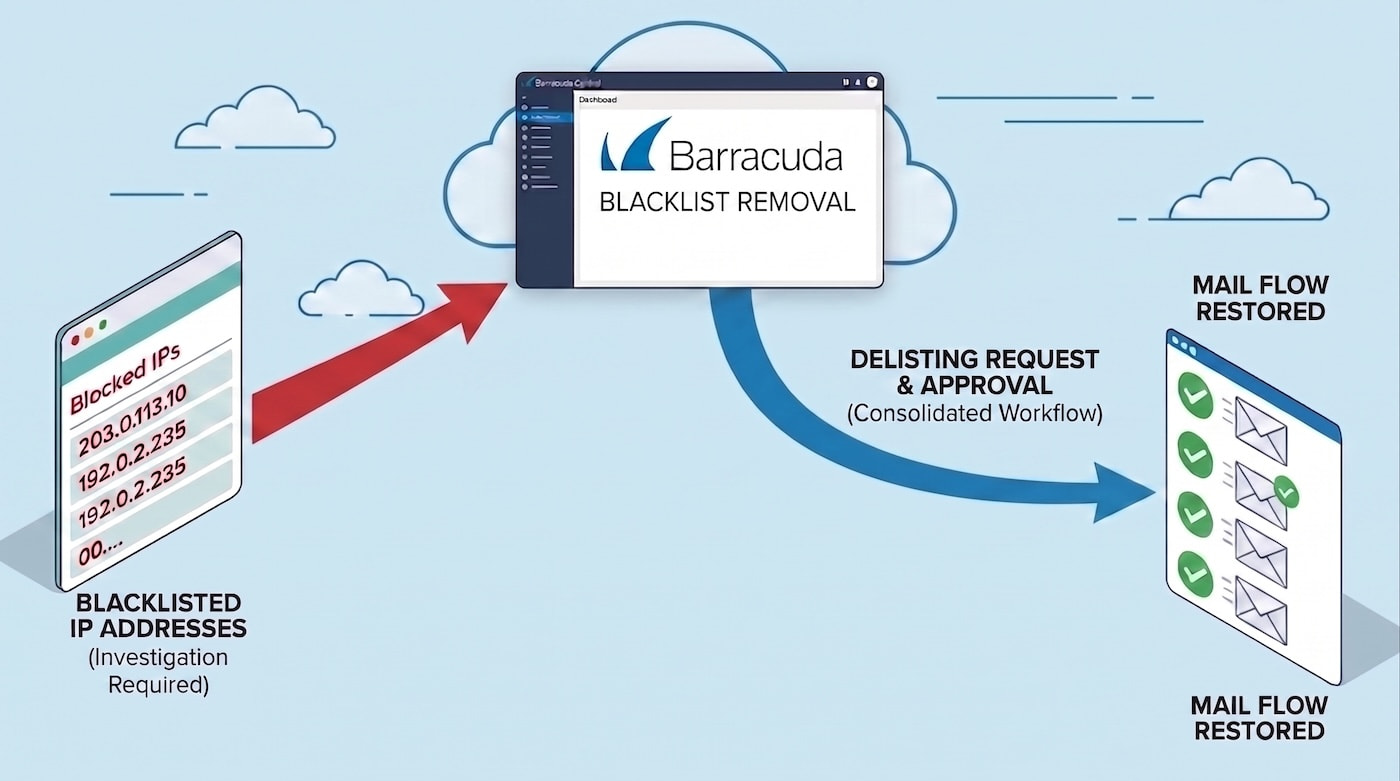
If your IP is on the Barracuda Reputation Block List (BRBL), you need to fix the underlying cause first, then submit a removal request through Barracuda Central's official form. Requests are typically reviewed within 12 hours, sometimes up to 24.
There is no fee, and no third party can speed this up, since the only real path is Barracuda's own form.
Key facts about the Barracuda blocklist
Type
DNS-based blocklist (DNSBL), IP-level only, not domain-based
Maintained by
Barracuda Networks, through Barracuda Central
In operation since
2008
Delisting cost
Free. Any service charging you to get removed is not using the real process.
Typical processing time
Around 12 hours, occasionally up to 24
Removal method
Self-service form, no account required
What is the Barracuda blocklist, and who does it affect
The BRBL works at the IP level, not the domain level. It's used mainly by Barracuda's own Spam & Virus Firewall hardware, which many enterprise mail servers, smaller ISPs, and private mail systems run.
If you're sending to a large consumer mailbox provider like Gmail or Microsoft 365, a BRBL listing has little direct effect, since those providers rely on their own internal reputation systems rather than checking Barracuda's list.
Where it matters most is B2B mail and any recipient running Barracuda's own appliances, where a listing can mean your mail gets silently blocked with no bounce notice at all.
Monitor Your IP Reputation
Actively monitor up to a /16 subnet (65, 536 IPs) for free. Receive a comprehensive overview of your IPs’ reputation.
Barracuda's system flags IPs automatically, based on real-time signals rather than manual review. The most common causes fall into five categories.
Spam traps and honeypots. Barracuda maintains hidden email addresses that were never used for real communication. If your list includes one, usually from a scraped or purchased list, sending to it flags your IP immediately, since there's no legitimate reason that address should ever receive mail.
Open relays and proxies. A mail server that's misconfigured to let anyone route mail through it is an open relay. These get abused constantly by spammers, and Barracuda actively scans for them. If yours is exposed, it's one of the fastest routes to a listing.
Botnets and compromised systems. If a device on your network, or your mail server itself, is compromised, it can send large volumes of spam without your knowledge. This gets detected and listed quickly, even if every campaign you're actually sending is fully compliant.
Poor list hygiene. Sending to old, unverified, or purchased lists raises your complaint rate and increases the odds of hitting a spam trap. This is a slower-building cause than the others, but it's one of the most common root causes behind a listing that seems to come out of nowhere.
Technical misconfiguration. Missing or broken SPF, DKIM, or DMARC records, incorrect PTR records, or inconsistent SMTP banner behavior can all read as reputation risk factors to Barracuda's automated system, even when no actual spam has been sent.
If you're blocked by Barracuda, the bounce back your mail server receives usually looks something like this:
450 4.7.1 Try Later; see http://www.barracudacentral.org/rbl/removal-request
If you see this exact message, or something close to it, you can skip straight to checking the BRBL, since this is Barracuda telling you directly.
How to check if you're actually listed
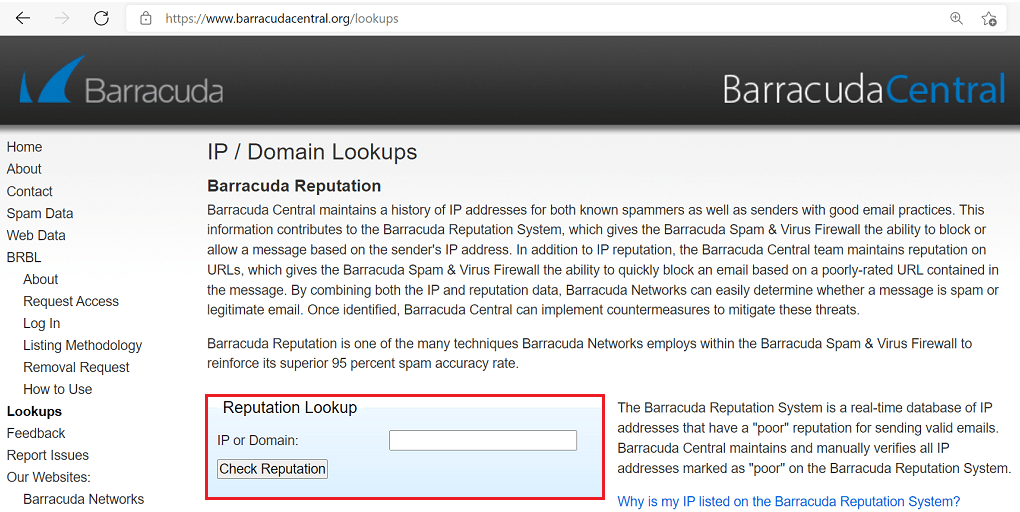
Use the Barracuda Reputation Lookup tool directly, or a checker that covers multiple blocklists at once. Enter your IP and review the result.
Since Barracuda's checker only tells you about Barracuda specifically, a broader check is worth doing too, in case more than one list has flagged you, which usually points to a deeper infrastructure issue rather than a one-off mistake.
(CTA: "Run a full check across 100+ blacklists, free" links to accounts.konetix.net/sign-up)
How to remove your IP, step by step
Step 1: Fix the root cause first. Do not submit a removal request until you've actually identified and resolved the issue. Barracuda's system will typically relist you within hours if the underlying cause is still active.
This might mean securing a compromised account, closing an open relay, cleaning your sending list, or correcting SPF, DKIM, and DMARC records.
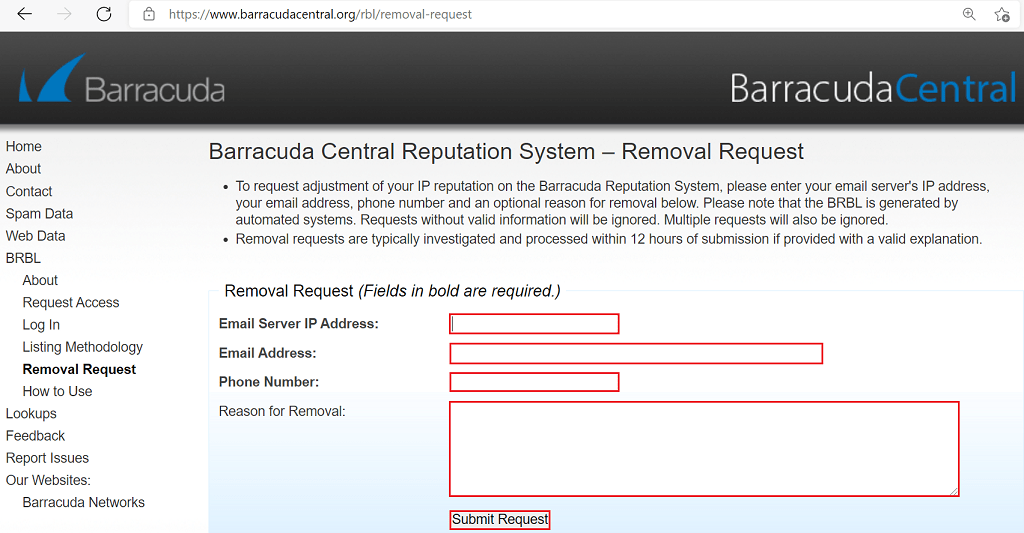
Step 2: Gather what the removal form needs. Barracuda's official removal request asks for your email server's IP address, a valid email address, a phone number, and an explanation for removal.
The explanation field is optional on paper, but in practice, a vague answer like "issue resolved" is far less effective than something specific, such as naming exactly what was wrong and what you did to fix it.
Step 3: Submit once, and don't repeat it. Barracuda's page states plainly that multiple requests for the same IP will be ignored, since the system is automated. One clear, accurate submission is more effective than resubmitting out of impatience.
Step 4: Wait for review. Most requests are processed within about 12 hours, though it can stretch to 24. There's no way to expedite this through a third party, since removal only happens through Barracuda's own system.
Step 5: Check for a private appliance block, if the listing doesn't explain everything. If your IP isn't showing on the public BRBL but a specific recipient organization still can't receive your mail, they may have a local block configured on their own Barracuda appliance, separate from the public list entirely.
In that case, no public removal request will fix it. You'd need to contact that organization's IT team directly.
How long does delisting actually take
Barracuda doesn't publish a fixed guarantee, but based on consistent reporting across sources, first-time listings with a clear, well-documented fix tend to clear within about 12 hours. Repeat listings, or cases where the root cause isn't fully resolved, can take longer or get relisted shortly after removal. There is no fast lane, submitting the same request multiple times only gets it ignored.
What to do after you're delisted
Getting removed isn't the finish line. Jumping straight back to full sending volume can retrigger reputation systems, especially if your recipient engagement is still recovering. A gradual ramp-up over a week or two, rather than an immediate return to normal volume, reduces the odds of a repeat listing.
Beyond that, the same prevention steps apply going forward: keep SPF, DKIM, and DMARC current, maintain regular list hygiene, and watch for compromised accounts before they turn into a bigger problem.
How Barracuda compares to other blocklists
People often confuse being on Barracuda's list with being on a much more damaging one, or assume all blocklists work the same way. They don't.
Blocklist
What it checks
Who it mainly affects
Can you remove it yourself
Barracuda BRBL
IP addresses
Enterprise and private mail servers running Barracuda hardware
Yes, self-service form
Spamhaus (SBL, XBL, PBL, Zen)
IPs and domains
Broad, high impact across most providers
Varies by which specific list
Microsoft SNDS
IP reputation with Microsoft
Outlook and Microsoft 365
Yes, through the SNDS portal
If you're showing up on more than one of these at the same time, that's usually a sign of an infrastructure-level problem, not a one-off mistake, and worth investigating more broadly rather than treating each listing separately. See our Spamhaus delisting guide if that's part of your situation.
One important distinction worth clearing up: Barracuda is sometimes confused with a completely separate list called RATS-Dyna. They're unrelated, run by different organizations, but many blacklist checker tools display both in the same scan results, which is likely why people search for them together.
If your scan shows both, you'll need to fix them separately, since delisting from one does nothing for the other.
Frequently Asked Questions
Does a Barracuda listing affect Gmail or Outlook deliverability?
Generally, no. Gmail and Microsoft 365 rely on their own internal reputation systems rather than checking Barracuda's list. A BRBL listing mainly affects mail going to organizations running Barracuda's own security appliances.
Is Barracuda delisting free?
Yes. The only real removal path is Barracuda's own form, at no cost. Any third-party service charging a fee to remove you from the BRBL is not providing real value.
Can I speed up the review by submitting multiple requests?
No. Barracuda's system ignores multiple requests for the same IP, treating it as noise rather than urgency. One accurate, detailed submission is the fastest path.
What if I'm delisted but a specific recipient still can't get my mail?
That recipient may have a private, local block set on their own Barracuda appliance, separate from the public BRBL. You'd need to contact their IT team directly, since a public removal request has no effect on private, organization-specific blocks.
Is Barracuda the same as RATS-Dyna?
No. They're separate blocklists run by different organizations. They often show up together in scan results, which causes confusion, but each requires its own separate removal process.